


The Password Problem We Still Haven’t Solved
Passwords are the oldest security tool in the digital world, yet they remain one of the most common points of failure. They’re the keys to our personal and professional lives — protecting everything from online banking to confidential work documents — and yet they’re still too often the weak link.
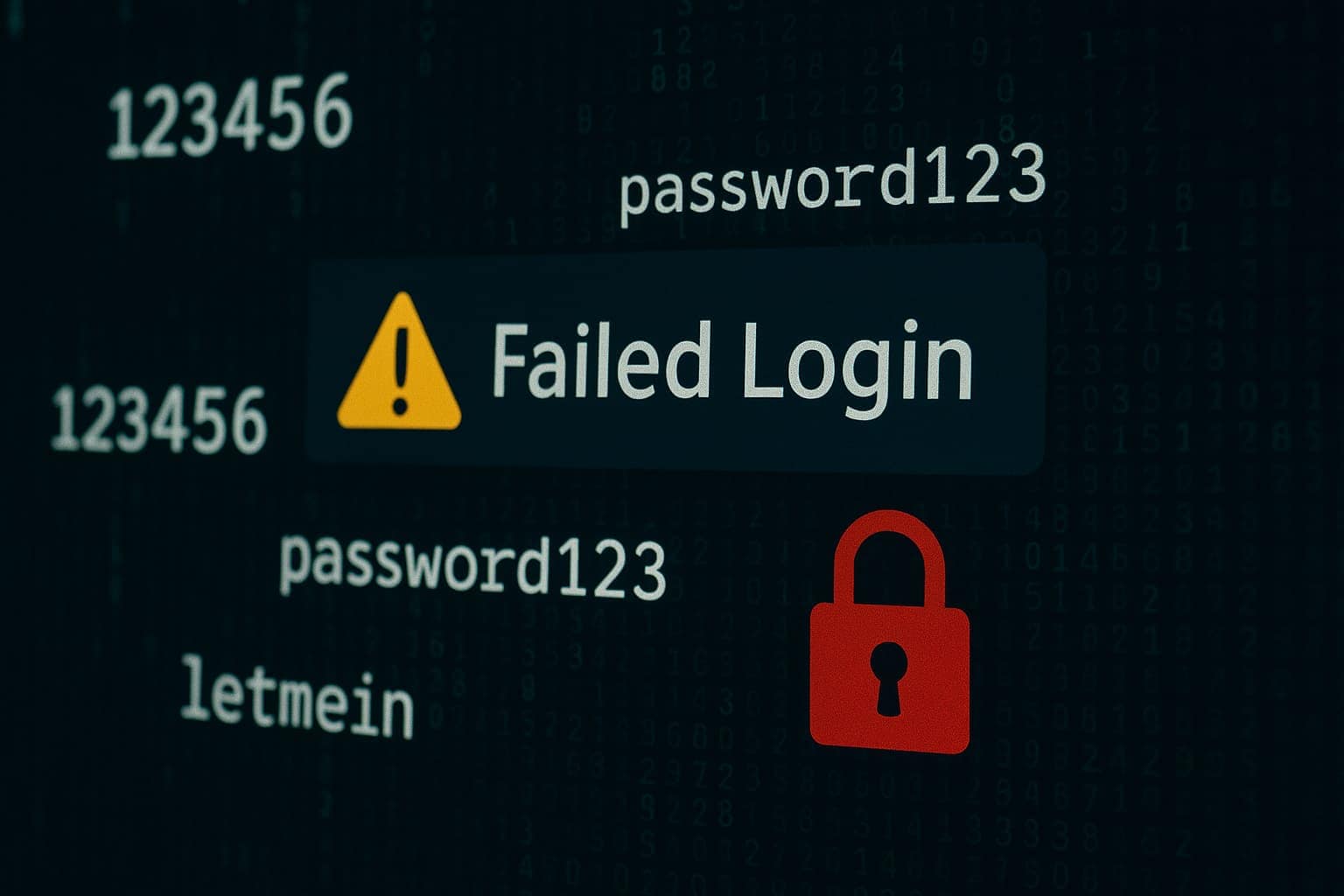
Despite years of “don’t use 123456” campaigns, countless warnings from experts, and wave after wave of data breaches, password habits have barely improved. In breach databases from 2024, you can still find millions of people using password, qwerty, or simple seasonal variations like Summer2024!. They look “secure” to the untrained eye, but to modern attackers, they’re low-hanging fruit.
Part of the problem is that the rules we were taught for years no longer reflect how attacks actually work. The advice to “mix upper- and lower-case letters, numbers, and symbols” was born in a time when brute-force guessing was slow and the internet was still young. Back then, complexity helped. Today, it’s nowhere near enough.
The shift in the past few years is clear: security experts now focus far more on length and unpredictability than on shoehorning special characters into short strings. And in 2025, understanding why that matters is key to staying secure.
Why the Old Rules Don’t Work Anymore
The password rules many of us still remember — minimum 8 characters, a mix of upper- and lower-case letters, at least one number, and at least one special character — weren’t plucked out of thin air. They were designed in the early 2000s when most attackers were limited by the technology of the time.
Back then, password-cracking software ran on a single CPU, and the number of guesses it could make per second was relatively small. Adding complexity — swapping letters for symbols, mixing in numbers — made brute-force attacks exponentially slower. An attacker might be able to guess a simple, all-lowercase dictionary word in seconds, but a short jumble like H&5pLz@9 could take weeks or months to crack.
Those rules also aimed to make passwords harder to guess by hand. In an era where many attacks were still manual, complexity forced an attacker to make far more trial-and-error attempts. For a long time, that was enough to put most casual hackers off.
But fast forward to 2025, and the game has changed completely. Password-cracking is no longer limited by the patience of a human or the speed of an office PC. Modern attackers use graphics processing units (GPUs) — the same kind used for high-end gaming or AI — to run through billions of guesses per second. A single top-tier GPU today can try around 350 billion combinations every second. Add multiple GPUs in a rig, or rent computing power from the cloud, and the speed becomes almost unimaginable.
Here’s the harsh reality: the short, complex passwords that once bought you months of safety can now be cracked in under an hour — sometimes in minutes — if they’re truly random. If they follow a predictable human pattern, like Name2025! or Winter!24, they’re vulnerable almost instantly. Attackers also don’t waste time starting from scratch. They begin with massive dictionaries of real passwords from previous breaches, testing the most common ones first.
In other words, the old rules weren’t bad advice at the time — they just weren’t designed for the computing power we’re up against now. What used to be “secure enough” in 2005 is trivial to crack in 2025. That’s why the focus has shifted away from short bursts of complexity and towards length, unpredictability, and uniqueness as the gold standard for password strength.
The Modern Definition of a Strong Password
In 2025, the definition of a “strong” password has evolved beyond the short, complex strings that dominated security advice for decades. Today, experts at both the National Cyber Security Centre (NCSC) in the UK and the National Institute of Standards and Technology (NIST) in the US agree on three fundamentals:
It should be long enough to resist brute-force attacks, unpredictable enough to avoid dictionary-based guessing, and unique for every account you use.
The NCSC recommends building passwords and passphrases with words you can remember but that don’t appear together in common phrases or personal references. While their “three random words” approach is the most famous example, the core message isn’t about a fixed format — it’s about length and unpredictability combined. Whether it’s three, four, or more words, the aim is to create a sequence that doesn’t appear in cracking dictionaries and can’t be guessed from your social media profile or public information.
The NIST guidelines take a slightly different angle but align on the principles. They recommend:
 A minimum of 8 characters for user-chosen passwords (with encouragement to go longer for sensitive accounts), but they explicitly note that longer is better.
Removing arbitrary complexity rules — no more forcing users to add symbols for the sake of it. Instead, the focus is on user-friendly passwords that are hard for machines to guess but easy for humans to recall.
Allowing spaces in passwords and passphrases, which increases length without making them harder to remember.
Checking passwords against known breach data to prevent users from choosing ones already exposed in leaks.
Where NCSC emphasises memorability and avoiding predictable combinations, NIST places additional weight on eliminating user frustration. The idea is that when passwords are too hard to remember, people write them down or reuse them — creating exactly the weaknesses attackers exploit.
Both approaches agree on one key point: a strong password in 2025 isn’t about cramming in as many symbols as possible. It’s about creating something long enough that a brute-force attack would take centuries, random enough that it’s not in a hacker’s wordlist, and unique enough that if one account is compromised, the others remain safe.
Why People Still Get It Wrong
If the modern guidance is simpler and more effective, why do weak passwords remain so common? The answer is less about the rules themselves and more about how people live and work online.
Most of us now have far more accounts than we realise. Ten years ago, you might have had a handful — email, online banking, maybe one or two shopping sites. But today? Every app, service, and subscription demands an account. You sign up for streaming platforms, social media, loyalty schemes, food delivery apps, travel booking sites, event tickets, online learning, cloud storage, fitness trackers — the list goes on. For work, it’s the same: project management tools, HR portals, CRM systems, shared file platforms, and dozens of SaaS tools for day-to-day tasks. It’s not unusual for the average person to have well over a hundred logins without even counting the ones they’ve forgotten about.
This creates what psychologists call cognitive load — the mental strain of trying to remember too much at once. When your brain is already juggling deadlines, meetings, and personal commitments, trying to memorise dozens of unique, complex passwords becomes exhausting. So we take shortcuts. We reuse the same password on multiple accounts. We use predictable patterns — John2023!, then John2024! — because they’re easy to remember. And once an attacker figures out one, the rest fall like dominoes.
There’s also an element of what’s known as optimism bias — the belief that bad things happen to other people, not us. “Nobody would target my account” feels true when you’re thinking about your gym login or a shopping site you use twice a year. But attackers don’t care about you personally; they care about opportunity. A compromised account can be used to send phishing messages to your contacts, gain access to linked services, or sell verified logins on criminal marketplaces.
And finally, people underestimate how quickly attackers can work. They imagine hackers as individuals painstakingly trying passwords one by one. In reality, the process is automated, relentless, and designed to exploit the exact shortcuts humans take under pressure. That’s why the gap between knowing the advice and following it is still so wide — and why strong passwords aren’t just about rules, but about changing the habits that lead us to break them.
How Attackers Actually Crack Passwords in 2025
The image most people have of a hacker is someone in a dark room typing furiously, guessing passwords one by one until they strike lucky. In reality, modern password cracking is industrialised, automated, and frighteningly fast. Attackers combine raw computing power with enormous datasets of real-world passwords to dramatically increase their success rate.
Brute-force attacks still exist — where every possible character combination is tried until the right one is found — but they’re far more efficient now thanks to GPUs capable of billions of guesses per second. Short passwords, even if they look complex, often fall almost instantly to this method.
But in most real-world breaches, attackers don’t start from scratch. Instead, they turn to dictionary attacks. These aren’t “dictionaries” in the usual sense — they’re massive files containing millions, sometimes billions, of known passwords harvested from past breaches. These lists don’t just include the most common ones like password or 123456. They also contain realistic-looking patterns people use every day: CompanyName2024, FirstName!, or combinations of pets, children’s names, and memorable dates.
Crucially, modern dictionary attacks are smart. They don’t just test the exact passwords from the list — they apply “mangling rules” to create variations on the fly. That means if your leaked password was Football99, the attack will also try Football2025!, football99, Football@99, and dozens of other tweaks, massively increasing the odds of success.
Then there’s credential stuffing — one of the most dangerous threats because it bypasses brute-force guessing entirely. In a credential stuffing attack, stolen username and password pairs from one breach are tried automatically on hundreds of other sites. This works depressingly often because so many people reuse the same password across multiple accounts. For example, if your password for a shopping site was leaked in 2023 and you used the same one for your email or bank, an attacker could jump straight in without breaking a sweat.
To make matters worse, these attacks are easy to automate with tools like SentryMBA or OpenBullet, which allow attackers to load in huge breach lists and test them against specific services at scale. Some criminals even specialise in selling “combo lists” — neatly packaged sets of valid logins for specific platforms, ready to be used by others.
Finally, we can’t ignore AI-assisted guessing. In 2025, attackers are increasingly using machine learning models trained on millions of leaked passwords to predict the likely structure of new ones. This means that if you follow a personal pattern — your child’s name, your birth year, your favourite football club — AI can spot it faster than a human ever could.
The takeaway is stark: attackers aren’t patiently guessing in the dark. They’re armed with years of stolen data, lightning-fast hardware, and tools designed to exploit predictable human behaviour. That’s why a strong password in 2025 has to be long, random, and unique — because anything else is already on someone’s list.
Building Better Passwords Without the Headache
The biggest barrier to strong passwords isn’t that people don’t know what they should do — it’s that they think they can’t realistically do it for every account they have. And in fairness, if you’re relying on memory alone, they’re probably right. No one can remember 150 unique, random passphrases without help. The key is to work with human behaviour, not against it, and use tools that make good password habits the easiest option, not the hardest.
That’s why the shift from “password” to passphrase is so important. A passphrase is a string of unrelated words that’s both long enough to resist brute-force attacks and memorable enough to recall without writing it down. Something like silverbanana-clocktower-papermoon is far more secure than H!9r7K$w — and you’re much less likely to forget it. The strength comes from length and unpredictability, not from sprinkling in symbols at random. You can add a number or symbol if you like, but it’s the size and randomness that makes the difference.
Still, memorability only gets you so far. The real game-changer is using a password manager. Think of it as a secure vault for all your logins. You remember one strong master passphrase, and the manager stores (and can generate) unique passwords for every other account you use. That means you can make each login a 20-character random string without ever having to type or remember it. Most managers also auto-fill your credentials on trusted devices, removing friction from daily use.
Pairing this with multi-factor authentication (MFA) creates a safety net. Even if someone does get hold of your password — through a breach, phishing, or sheer luck — they still can’t log in without the second factor, whether that’s a code from an app, a text message, or a hardware security key.
For accounts you do need to remember without a password manager — maybe your primary email, or the one master password itself — you can use a mnemonic trick to make a long passphrase stick. For example, start with a silly sentence only you would think of (“My dog stole my sandwich while I was dancing in the kitchen”) and take the first letter of each word, swapping in a number or symbol where it makes sense. The result is long, unique, and personal, but not guessable by an attacker.
The point isn’t to make passwords harder for you — it’s to make them harder for attackers while making them easier to manage in real life. When you have the right systems in place, strong passwords stop feeling like a burden and start becoming the default. And that’s the sweet spot: where security and convenience meet, and the temptation to cut corners disappears.
The Myths We Need to Let Go Of
When it comes to passwords, some advice just won’t die — even though the experts have moved on. These outdated rules hang around in policies, training slides, and “IT tips” emails, often doing more harm than good. If your business is still following them, it’s time for a rethink.
One of the biggest is the idea that you should change your password every 30, 60, or 90 days. This rule made sense in the early days of online security, when it was harder to detect breaches in real time and regular changes reduced the window of opportunity for attackers. But both the National Institute of Standards and Technology (NIST) in the US and the National Cyber Security Centre (NCSC) in the UK now say it’s counterproductive — and they’re right.
Why? Because forcing frequent changes encourages bad habits. People make small, predictable tweaks — Winter2024! becomes Spring2024!, and so on — which attackers can easily guess. Or they write their passwords down somewhere unsafe because they can’t keep up. Both weaken security instead of strengthening it. Modern guidance is clear: only change a password if there’s evidence it’s been compromised, and focus instead on making it long, unique, and protected with multi-factor authentication.
Another persistent myth is that adding a single symbol or number makes a password strong. While symbols increase the number of possible combinations, they don’t magically make a weak password uncrackable. If the base of your password is a dictionary word — Password! or Liverpool1 — an attacker’s dictionary attack will still find it in seconds. Strength comes from length and unpredictability, not just decoration.
There’s also the belief that “obscure” means “secure”. People often pick passwords based on hobbies, pop culture, or personal references, thinking they’re too niche to guess. The problem is that attackers’ password lists aren’t limited to common words — they include sports teams, movie quotes, song lyrics, gaming references, and more, harvested from years of breaches. If your “obscure” choice is something you’ve ever posted publicly, it’s not as private as you think.
And then there’s the classic “I’m too small to be a target”. Attackers don’t care if you’re a global bank or a local bakery. Many attacks are automated and indiscriminate, scanning for weak logins across millions of accounts. If your password is easy to guess, you’re on the list, whether you realise it or not.
Letting go of these myths isn’t about throwing away all the old rules — it’s about replacing them with guidance that works for the threats we face today. In 2025, that means focusing on longer, unique passphrases, using password managers, enabling MFA, and only changing passwords when you need to.
From Awareness to Habit
Knowing what makes a strong password is one thing. Consistently creating and using one is something else entirely. This is where most security advice falls down — people hear the rules, agree with them, and then default to their old behaviour the next time they’re under pressure.
The gap between knowing and doing isn’t because people are careless or lazy. It’s because behaviour change takes repetition. In everyday work, our brains run on autopilot for routine tasks — typing a familiar password, clicking through a login screen, reusing a credential because it’s already saved in the browser. These shortcuts save time, but they also bypass the conscious decision-making needed to spot and prevent risk.
Turning awareness into action means deliberately building new habits that replace those risky shortcuts. And habits are built through practice in the same context where they’ll be used. It’s not enough to hear in a meeting that “all passwords should be unique” — you need to experience setting one up, testing it, and storing it in a password manager until it becomes the default way you handle every new account.
For example, in our training sessions, we don’t just talk about why short passwords are weak — we show how quickly one can be cracked on a modern GPU. Then, we guide participants through creating a strong passphrase for a mock account, storing it securely, and using multi-factor authentication. By doing this in real time, people stop seeing password security as an abstract rule and start experiencing it as a normal part of their workflow.
The goal isn’t to make people paranoid — it’s to make secure choices feel natural. The more often someone creates a strong, unique passphrase and logs in using secure tools, the less mental effort it takes. Over time, the new behaviour replaces the old one, so that even when they’re tired, rushed, or distracted, they default to the secure option without hesitation.
That’s when awareness becomes habit — and in cybersecurity, that’s the point where real risk reduction begins.
The Future of Passwords
Passwords have been the backbone of digital security for decades, but even the strongest ones have limits. As attackers get faster and more sophisticated, the security industry is moving towards methods that don’t rely solely on memorising strings of characters.
One of the biggest shifts is towards biometrics — using something you are rather than something you know. Fingerprint scanners, facial recognition, and even voice authentication are now built into most modern devices. They’re convenient because you don’t have to remember anything, and they’re unique to you. But they’re not flawless. If your biometric data is ever compromised, you can’t “reset” it like a password, and environmental factors — gloves in winter, poor lighting for facial recognition — can cause issues. That’s why biometrics work best as part of multi-factor authentication rather than replacing all other methods.
Hardware security keys, like YubiKey or Google Titan, are another fast-growing option. These small devices connect via USB, NFC, or Bluetooth and provide proof that you physically possess the key to the account. Even if an attacker steals your password, they can’t log in without your key. Hardware keys are already used in high-security sectors and by many tech companies to protect critical systems, but they’re becoming increasingly practical for everyday business users too.
Perhaps the most promising development is the rise of passkeys — a modern, phishing-resistant replacement for passwords. Passkeys are built on public-key cryptography and work across devices and platforms. Instead of typing a password, you authenticate using biometrics or a device PIN, and the passkey stored securely on your device proves your identity to the service. There’s nothing for attackers to steal in a phishing email, because the passkey never leaves your device. They’re already supported by major platforms like Apple, Google, and Microsoft, and as adoption grows, they could replace passwords entirely for many accounts.
These technologies fall under the umbrella of passwordless authentication, which could mean anything from approving a push notification on your phone to using your device’s built-in biometric sensor to log in. The FIDO2/WebAuthn standards are helping make these systems interoperable across services, reducing the need for users to juggle dozens of credentials.
That doesn’t mean passwords are disappearing overnight. For years to come, many accounts will still rely on them — and attackers will keep targeting them. But the direction of travel is clear: the future will be less about memorising strings of characters and more about using secure, user-friendly authentication that blends convenience with strong protection.
For now, the best approach is to combine today’s strongest password practices with these emerging tools. Use unique, long passphrases, protect critical accounts with multi-factor authentication, start adopting passkeys where they’re available, and consider hardware keys for your highest-value logins. That way, you’re protected in today’s threat landscape while preparing for the security ecosystem of tomorrow.
Strong Passwords Are Just the Start
A strong password is one of the most important defences you have — but it’s only one part of the bigger picture. Attackers rarely stop at a single door. If they can’t get in with a weak password, they’ll try phishing to trick you into handing it over. If that fails, they might target another account you’ve reused the same password on, or attempt to bypass it entirely with stolen session tokens, malware, or social engineering.
That’s why real security is about layers. Passwords, multi-factor authentication, secure devices, and the habits to use them effectively all work together. Even the best password in the world won’t help if you type it into a fake login page or approve a fraudulent MFA prompt because it “looked normal”.
The goal isn’t to make you a cybersecurity expert overnight — it’s to make the secure option the natural option, even when you’re busy, distracted, or under pressure. That’s where the work we do at Cyber Rebels comes in. We don’t just tell you what makes a strong password — we walk your team through creating them, managing them, and using them alongside other defences in real-world scenarios.
Our training is hands-on, jargon-free, and built around your actual working environment. Whether it’s a quick awareness boost for a small team, a half-day practical workshop, or a tailored programme that embeds security habits across your whole business, we make sure the advice you hear is the advice you use.
Because in the end, passwords are just the start. The real protection comes from closing the gap between knowing what to do and actually doing it — every time. And that’s what we’re here to help you achieve

Director of Training and Development, Cyber Rebels.
Andy Longhurst is the founder of Cyber Rebels and a cybersecurity practitioner and educator focused on how risk actually shows up in real organisations. His work sits at the intersection of digital safety, education, and practical risk management — helping teams understand not just what policies say, but what happens in the moments where decisions are made under pressure.
With a background spanning adult education, web development, and technical consultancy, Andy specialises in translating complex security concepts into clear, usable understanding. Rather than focusing solely on tools or compliance frameworks, his approach centres on human behaviour, judgement, and the systems that shape everyday choices.
He delivers live, interactive cyber awareness training for organisations of all sizes, from small businesses and education providers to public-sector teams and larger organisations operating in complex risk environments.
Outside of delivery, Andy spends his time analysing emerging attack patterns, refining training design, and exploring how organisations can build resilience that holds up in the real world — usually with a strategically sized cup of tea close to hand.